iPhone Wallpaper Dimensions (2026 Guide for Perfect Screen
iPhone Wallpaper Dimensions means the exact pixel size of an image that fits perfectly on an iPhone screen. It matches the display resolution of each iPhone model and ensures the picture looks clear and sharp. When you use the correct size, the wallpaper does not look blurry or cropped on the screen.
Many people face a problem when their wallpaper looks zoomed in or cut off. This usually happens when the image does not match the correct iPhone screen size. Using proper iPhone Wallpaper Dimensions fixes this issue and makes the wallpaper fit properly on both lock screen and home screen.
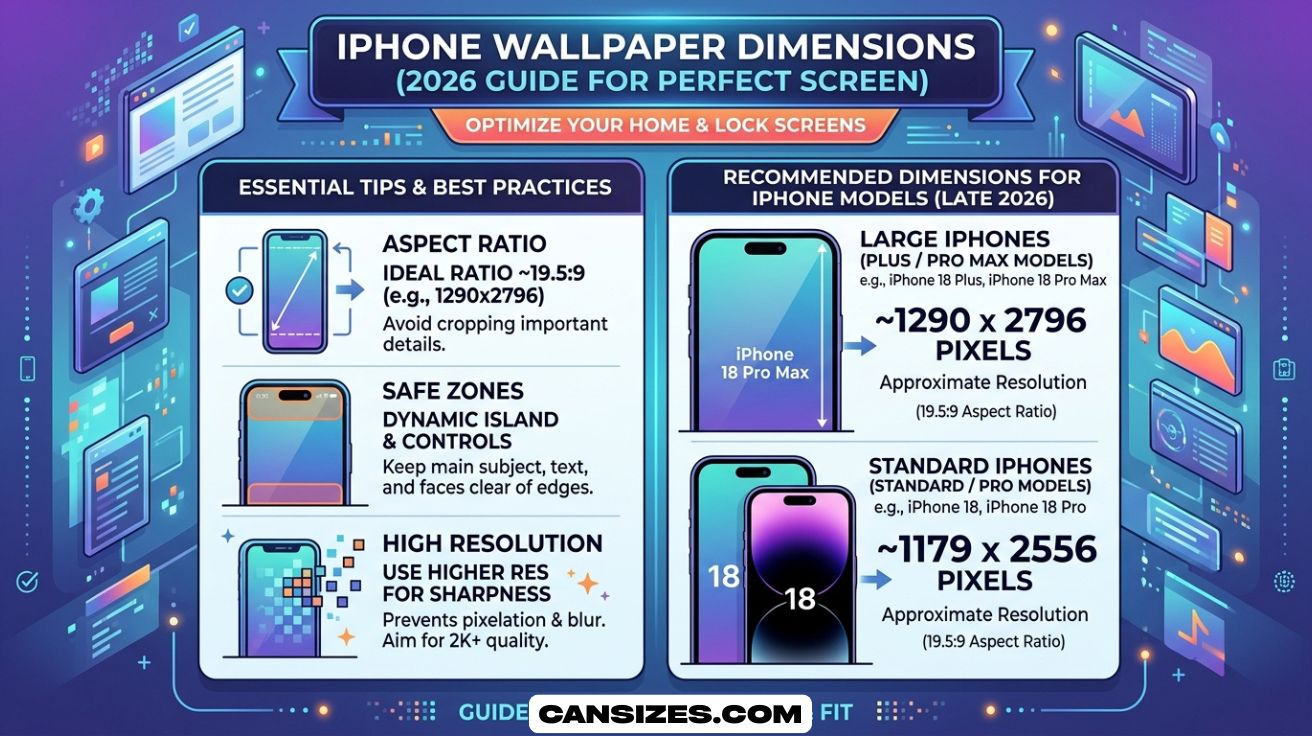
iPhone Wallpaper Dimensions are different for each iPhone model because every device has a unique screen size. New iPhones use higher resolution for better clarity and detail. Choosing the correct dimensions helps your wallpaper look clean, balanced, and professional on your device.
What Are iPhone Wallpaper Dimensions?
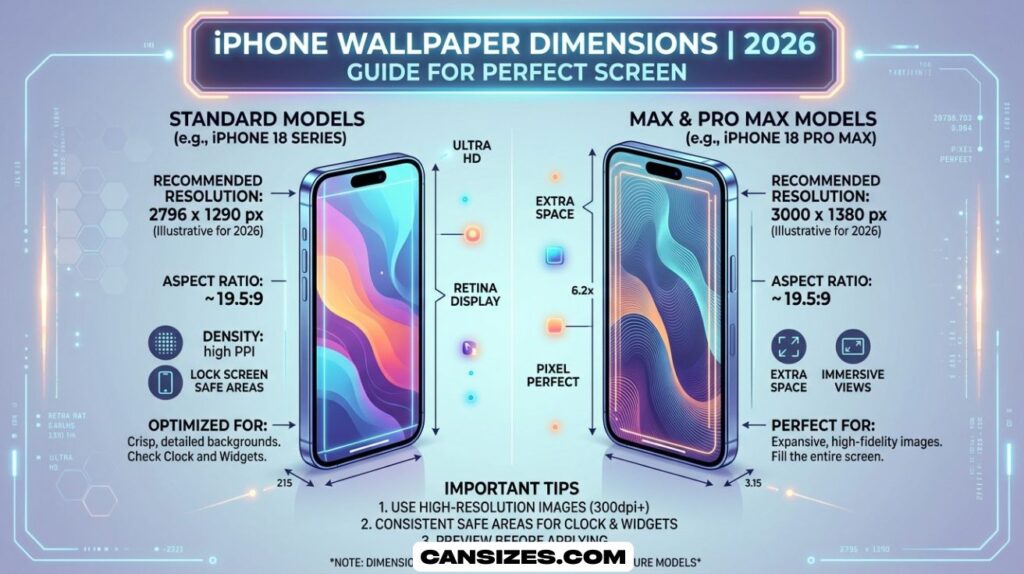
The term iPhone wallpaper dimensions refers to the exact pixel size required for an image to properly fit an iPhone screen without distortion, cropping, or blur. These dimensions are directly connected to the device’s display resolution, which is the number of pixels on the screen in width and height.
Every iPhone has a different image resolution, meaning the wallpaper size must match or exceed it. For example, newer devices like the iPhone 14 Pro or iPhone 15 Pro series use high-resolution OLED screens with advanced retina HD display technology, which means they require extremely sharp images to maintain clarity.
Apple uses pixel density (PPI) above 450 in most modern iPhones. This means there are over 450 pixels packed into every inch of the screen. Because of this high density, low-quality images look blurry instantly, even if they look fine on a computer.
Another important factor is the parallax effect iOS, which slightly moves wallpapers when you tilt your phone. This creates a 3D effect but also requires slightly larger wallpaper dimensions than the visible screen area. This is why many users experience screen cropping issue even when their image matches the resolution.
In simple terms, correct wallpaper resolution iOS means using an image that matches or exceeds your iPhone’s screen resolution while also accounting for scaling and movement effects.
iPhone Wallpaper Dimensions
Different iPhone models have different iPhone wallpaper dimensions because Apple constantly upgrades smartphone screen dimensions and aspect ratios. Below is a simplified breakdown of common modern iPhone wallpaper sizes.
| iPhone Model | Screen Size | Wallpaper Resolution |
| iPhone 16 Pro Max | 6.9-inch | 1320 × 2868 |
| iPhone 16 / 15 / 14 Pro | 6.1-inch | 1179 × 2556 |
| iPhone 16 Plus / 15 Plus | 6.7-inch | 1290 × 2796 |
| iPhone 15 Pro Max | 6.7-inch | 1290 × 2796 |
| iPhone 14 / 13 / 12 | 6.1-inch | 1170 × 2532 |
| iPhone SE (3rd Gen) | 4.7-inch | 750 × 1334 |
These numbers represent the ideal iPhone screen resolution for wallpapers. When you use the wrong size, iOS automatically scales or crops the image, leading to iPhone wallpaper not fitting screen problems.
A key point to understand is that Apple does not use simple resizing. Instead, it applies screen scaling and smart cropping to maintain visual balance on the home screen and lock screen. This is why the same image can look different across models.
For example, the iPhone 16 Pro Max screen size is larger and has more pixels, so it requires a higher resolution wallpaper compared to older models. Similarly, iPhone 14 wallpaper size is slightly smaller, but still uses the same aspect ratio, meaning wallpapers can sometimes be reused with minimal adjustments.
If you want the best wallpaper size for iPhone, it is always recommended to use high-resolution images that match or exceed your device’s resolution instead of lower-quality compressed images.
How to Find Your iPhone Wallpaper Dimensions?
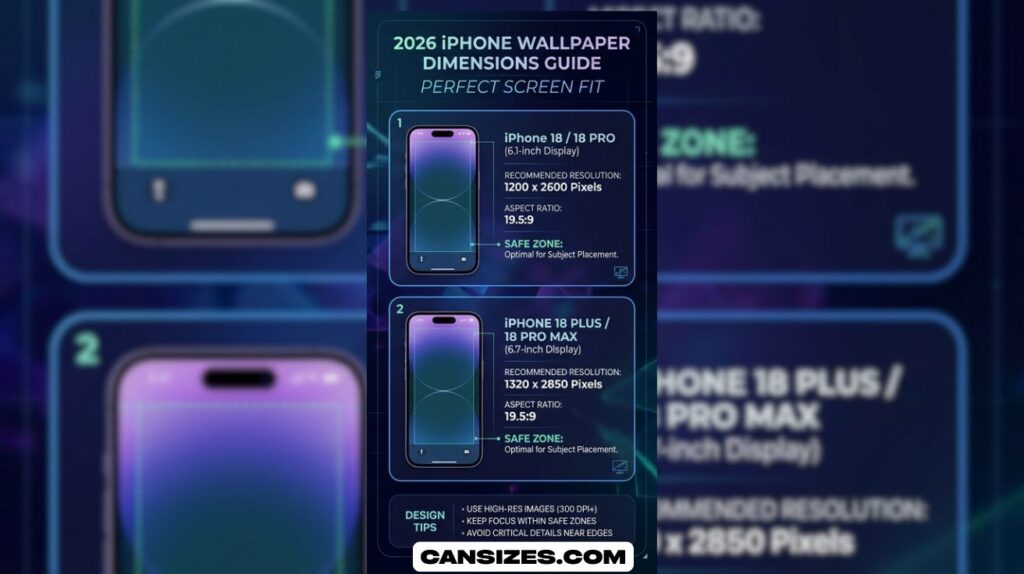
Understanding your exact iPhone wallpaper dimensions is important if you want perfect alignment and clarity. Since Apple has many models, users often do not know their exact resolution. Fortunately, there are several simple ways to find it without confusion.
The goal is to identify your device’s Apple display specs, so you can match the correct wallpaper size and avoid how to stop wallpaper cropping iPhone issues.
Method 1: Check Your Model Number
The simplest way to find your wallpaper size is by checking your model name inside settings. When you go to Settings, then General, then About, you will see your iPhone model such as iPhone 14 Pro or iPhone 15 Pro Max.
Each model corresponds to a fixed mobile display size and resolution. Once you know your model, you can match it directly with official iPhone wallpaper dimensions tables. This method is reliable because Apple does not change resolution within the same model.
This approach is especially useful when choosing a set custom wallpaper iPhone option because it ensures you are using the correct base resolution.
Method 2: The Screenshot Trick
Another easy method to find your exact iPhone screen resolution is by taking a screenshot. When you press the side button and volume up button, your iPhone captures an image of your screen.
When you open this screenshot in the Photos app and check the info section, it shows the exact pixel size. This number represents your real image resolution, which can be used as your perfect wallpaper size.
This method is helpful when dealing with iPhone wallpaper not fitting screen issues because it shows the actual rendered resolution of your device rather than theoretical specs.
Method 3: Use a Wallpaper Detection App
Some apps are designed to automatically detect iPhone wallpaper size and suggest properly optimized images. These apps scan your device and instantly display correct iPhone wallpaper dimensions based on your model.
They often include wallpaper libraries optimized for retina display, ensuring no pixel loss or distortion. This is a convenient solution for users who do not want to manually calculate correct wallpaper resolution iOS settings.
These apps are especially useful for beginners who want quick wallpaper optimization without technical steps.
Method 4: Check Apple’s Official Specs
Apple’s official website provides full Apple display specs for every iPhone model. By searching your device, you can find the exact display resolution, pixel density (PPI), and aspect ratio 19.5:9.
This method is the most accurate because it comes directly from Apple’s engineering data. It is especially useful when you are working on professional design or trying to understand why why wallpaper is zoomed on iPhone happens.
For example, Apple clearly lists differences between standard models and Pro Max models, which helps explain why iPhone wallpaper dimensions vary across devices.
Why Your iPhone Wallpaper Looks Cropped or Blurry
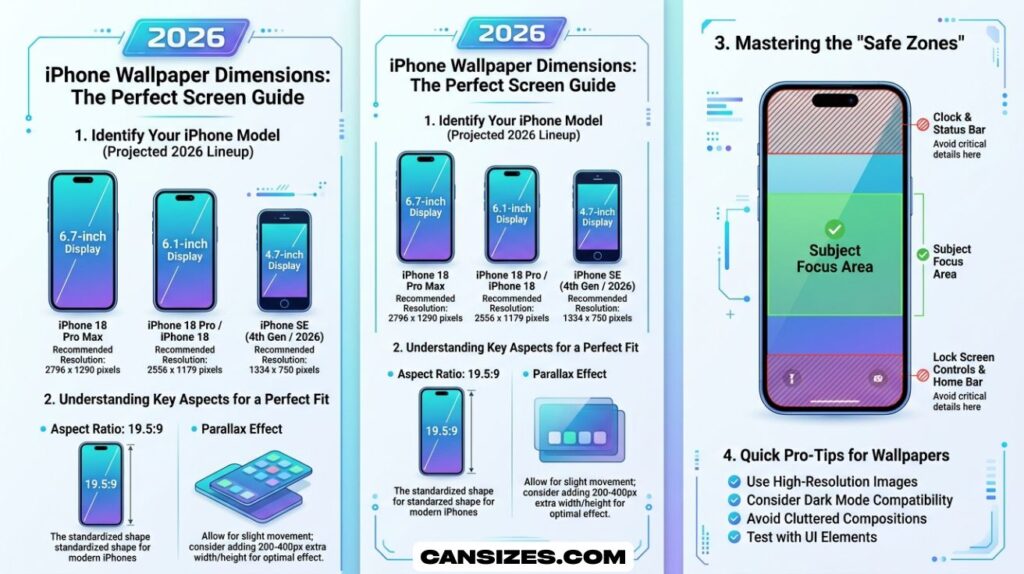
Many users experience issues where wallpapers appear zoomed or cut off. This happens due to a combination of factors including incorrect iPhone wallpaper size, low image resolution, and automatic iOS scaling.
One of the biggest reasons is the parallax effect iOS, which slightly enlarges wallpapers to create motion depth. Another reason is mismatched aspect ratio 19.5:9, which forces iOS to crop images that do not fit naturally.
Low-quality images also cause blur because they cannot match modern retina HD display standards. This leads to iPhone wallpaper not fitting screen issues and poor visual quality.
See Also : Monster Can Dimensions Size, Height
Best Practices for Perfect iPhone Wallpaper Dimensions
To avoid issues, always use high-resolution images that match or exceed your device’s resolution. This ensures proper screen scaling and avoids distortion.
When designing wallpapers, tools like Canva or Photoshop should be set to your device’s exact iPhone wallpaper dimensions. This guarantees that your design fits perfectly on both home screen wallpaper and lock screen.
It is also important to avoid stretching images manually, as this often causes quality loss. Instead, always design using correct smartphone screen dimensions from the beginning.
Case Study: Why Correct Wallpaper Size Matters
A user with an iPhone 14 Pro reported that every wallpaper he used appeared zoomed in. After investigation, the issue was caused by using a 1080p image designed for older 16:9 aspect ratio screens.
Once he switched to a proper iPhone 14 wallpaper size of 1179 × 2556 pixels, the problem disappeared instantly. The wallpaper fit perfectly without cropping, and clarity improved significantly due to proper alignment with pixel density (PPI).
This case shows that correct iPhone wallpaper dimensions are not optional—they are essential for a clean visual experience.
Why iPhone Wallpaper Dimensions Matter for Display Quality
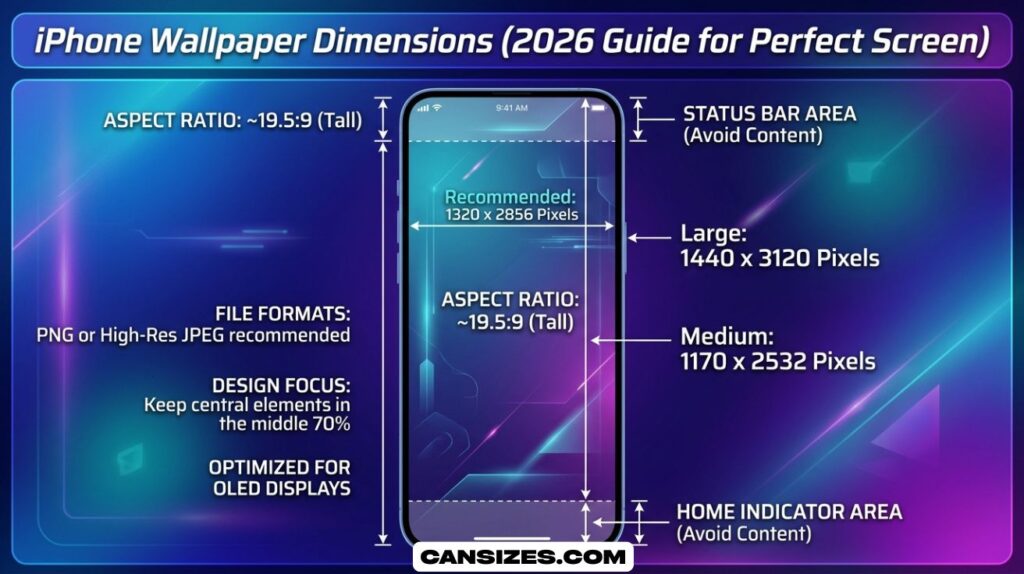
iPhone wallpaper dimensions are important because every iPhone uses a high-resolution retina display that depends on exact pixel matching. When the wallpaper size is incorrect, the system stretches or crops the image, causing blur or distortion. This directly affects how sharp your home screen wallpaper and lock screen look on modern iPhones.
Using the correct iPhone screen resolution ensures that images align perfectly with the display’s pixel grid. This prevents quality loss and maintains clarity across different devices. Since Apple uses different smartphone screen dimensions for each model, choosing the right size improves overall visual experience and avoids common scaling issues.
How iOS Screen Scaling Affects Wallpaper Appearance
iOS screen scaling plays a major role in how wallpapers appear on different iPhone models. Even if you use the correct iPhone wallpaper size, the system may slightly resize the image to fit icons, widgets, and the parallax effect iOS uses for depth. This can sometimes create minor cropping or zoom effects.
The operating system adjusts image resolution automatically based on display resolution and pixel density (PPI). This ensures wallpapers still look sharp on retina HD display screens, but it may slightly change positioning. That is why understanding scaling is important for proper wallpaper optimization and avoiding unwanted stretching.
See Also : Dollar Bill Dimensions Size, Height (Complete Guide to US Currency
Difference Between Lock Screen and Home Screen Wallpaper Dimensions
Lock screen and home screen wallpapers use the same iPhone wallpaper dimensions, but they are displayed differently due to interface elements. The lock screen shows more of the full image, while the home screen applies blur effects behind app icons, which can change how the wallpaper looks visually.
Because of this difference, users often feel their iPhone wallpaper not fitting screen correctly. In reality, the system is applying design overlays and screen scaling. Using high resolution images that match iPhone screen resolution ensures both screens remain clear, sharp, and visually balanced across all iPhone models.
Best Image Formats for iPhone Wallpaper Optimization
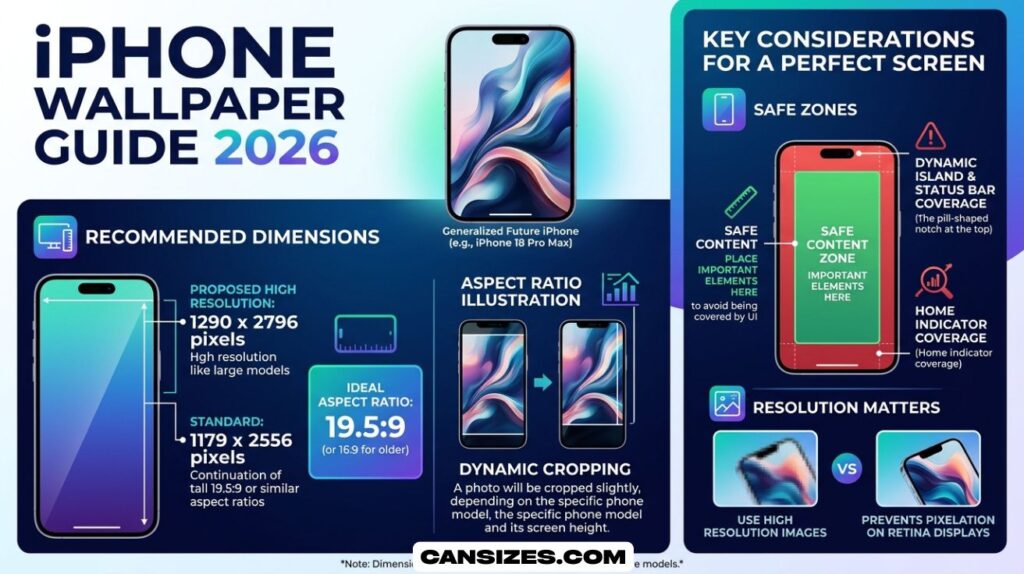
Choosing the right image format is important for maintaining quality in iPhone wallpaper dimensions. The best formats are PNG and HEIC because they preserve high image resolution without heavy compression. JPEG is also commonly used, but it may lose detail in high pixel density (PPI) displays.
Since iPhones use retina display technology, low-quality formats can appear blurry even if the resolution is correct. Using optimized formats improves wallpaper optimization and ensures the image fits properly without distortion. This helps maintain clarity across different mobile display sizes and aspect ratios.
How Parallax Effect iOS Changes Wallpaper Position
The parallax effect iOS slightly moves wallpapers when you tilt your phone, creating a 3D depth illusion. This effect increases the visible area of the wallpaper beyond the actual screen boundaries, which can make images appear zoomed or cropped if not sized correctly.
Because of this feature, iPhone wallpaper dimensions must be slightly larger than the actual display resolution. Otherwise, important parts of the image may get cut off. Users who disable parallax often notice improved alignment and reduced screen cropping issues on both home screen wallpaper and lock screen.
Common Mistakes When Choosing iPhone Wallpaper Size
Many users choose the wrong iPhone wallpaper size by using images designed for older smartphone screen dimensions. This leads to blurry visuals, incorrect scaling, and poor alignment on modern retina HD display devices. Another common mistake is using low resolution images that cannot match pixel density (PPI).
Another issue happens when users ignore aspect ratio 19.5:9, causing images to stretch or crop automatically. To avoid this, always match image resolution with device display resolution. Proper optimization ensures wallpapers stay sharp and correctly fitted on all iPhone models.
How High Resolution Images Improve Wallpaper Clarity
High resolution images are essential for achieving sharp results on iPhone wallpaper dimensions because modern displays contain millions of pixels. When the image resolution is too low, iOS must upscale it, which causes blur and loss of detail, especially on larger screens like iPhone 16 Pro Max screen size.
Using high quality images ensures better screen scaling and full compatibility with retina display technology. This improves clarity on both lock screen and home screen wallpaper. It also reduces distortion caused by parallax effect iOS and ensures a smooth, professional visual appearance.
See Also : Beverage Can Dimensions Size, Height (Complete USA Guide)
Tools and Apps to Create Perfect iPhone Wallpaper Dimensions
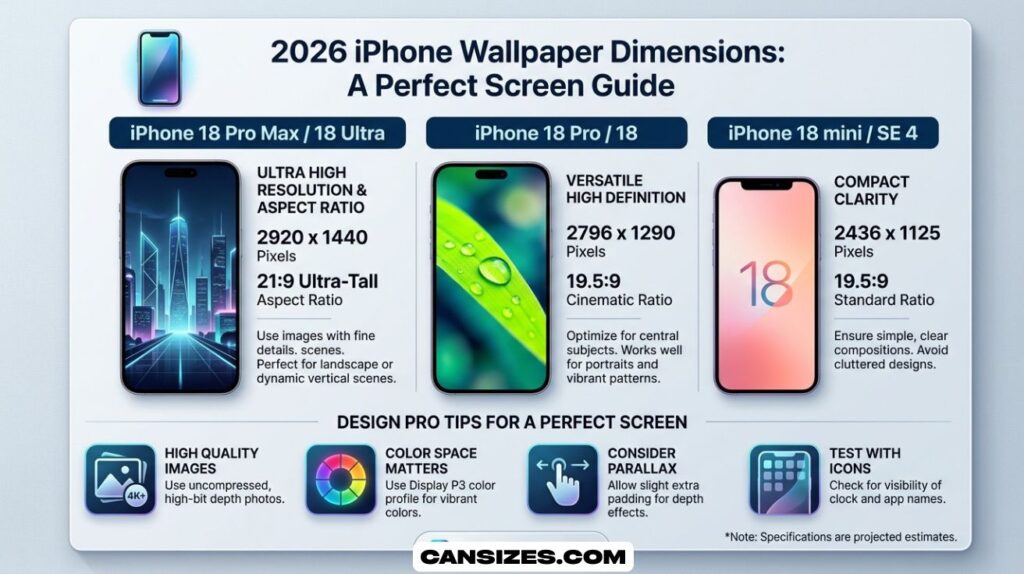
There are many tools available that help users design wallpapers with correct iPhone wallpaper dimensions. Apps like Canva and Adobe Express allow users to set custom canvas sizes based on iPhone screen resolution, ensuring perfect alignment for all devices including iPhone 14 wallpaper size and iPhone 15 Pro Max resolution.
These tools help with wallpaper optimization by automatically adjusting image resolution and aspect ratio 19.5:9. They also ensure compatibility with retina HD display screens. Using such tools removes guesswork and guarantees that wallpapers fit perfectly without cropping or distortion on any iPhone model.
FAQs
What is the size for an iPhone wallpaper?
It depends on the model, but most modern iPhones use around 1179 × 2556 pixels or higher for a perfect full-screen fit.
Using the correct iPhone screen resolution prevents cropping, blur, and zoom issues.
What is the iPhone 17 wallpaper ratio?
The iPhone 17 is not officially released yet, but it will likely follow the 19.5:9 aspect ratio used in recent iPhones.
This ratio is designed for tall displays and full-screen, edge-to-edge wallpaper viewing.
How do I resize a photo to fit my iPhone wallpaper?
You can resize a photo using apps like Photos, Canva, or other editors by setting the canvas to your iPhone wallpaper dimensions.
Make sure the image matches the aspect ratio 19.5:9 to avoid stretching or cropping.
What size is the iPhone 16 Pro Max wallpaper?
The iPhone 16 Pro Max wallpaper size is approximately 1320 × 2868 pixels for a perfect fit.
This resolution matches its 6.9-inch display and ensures sharp, high-quality visuals.
Conclusion
iPhone Wallpaper Dimensions play an important role in how your screen looks every day. When you use the correct size, your wallpaper fits the screen perfectly without blur, zoom, or cutting. Every iPhone model has its own display resolution, so matching the right iPhone Wallpaper Dimensions helps you get a clear and sharp image. It also improves the look of your home screen and lock screen. A properly sized wallpaper makes your iPhone feel more organized and visually balanced.
Using the right iPhone Wallpaper Dimensions also saves time and avoids common mistakes. You do not need to adjust or fix images again and again. A correct size keeps the picture stable even with iOS effects like parallax and screen scaling. When you follow the right dimensions, your wallpaper always stays clean, simple, and professional on every iPhone model.